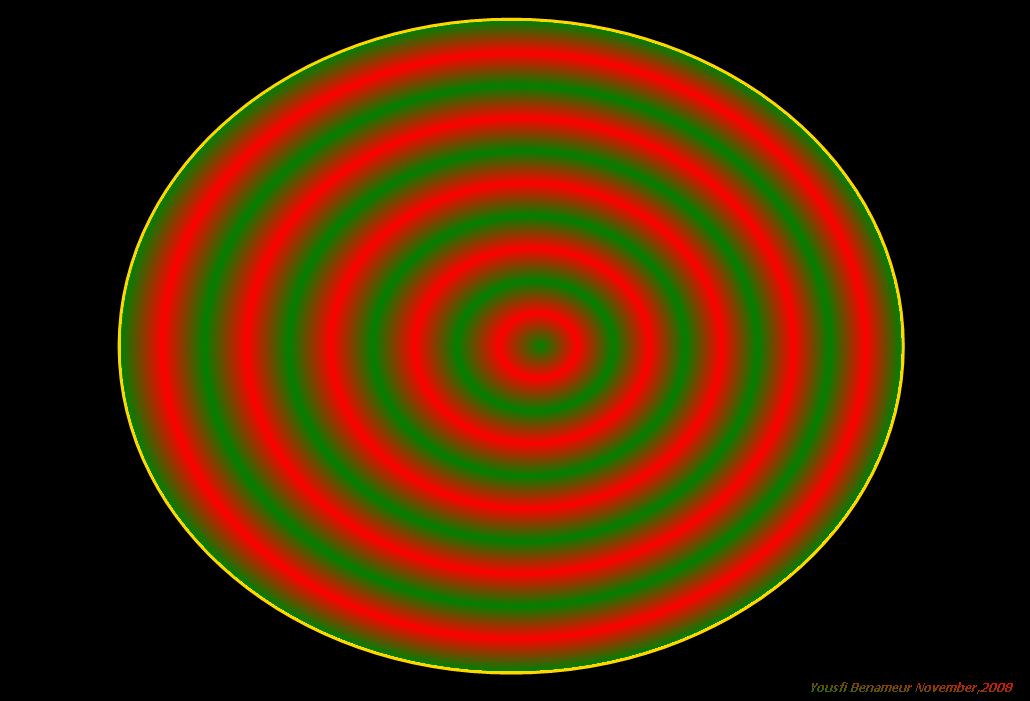
Using gdiplusX drawing technics
This code uses known technics of gdiplusX libary on imgcanvas control as
-drawing shapes & filling,array points,PathGradientBrush
-Lineargradients,blends,factors colors on shapes
-surroundcolors,centercolors
-drawString...
Works with system.app and gdiplusX class (put them in same working folder).
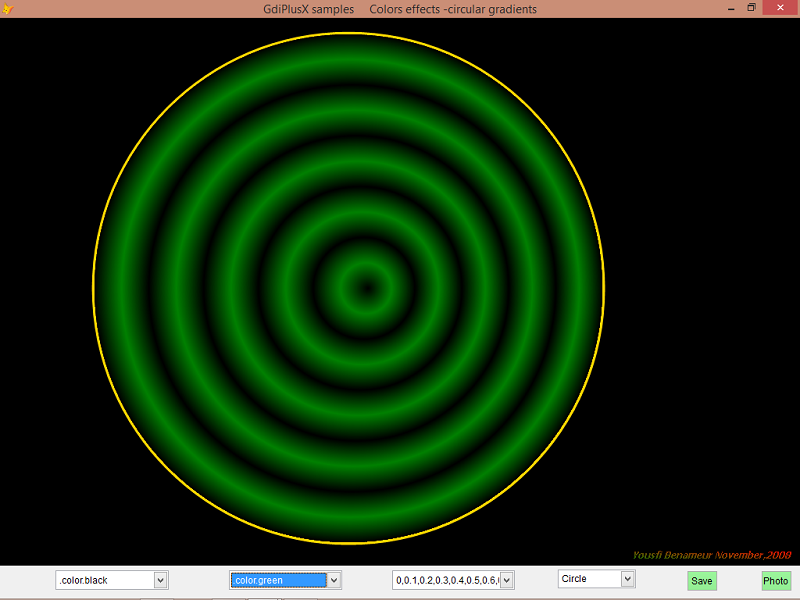
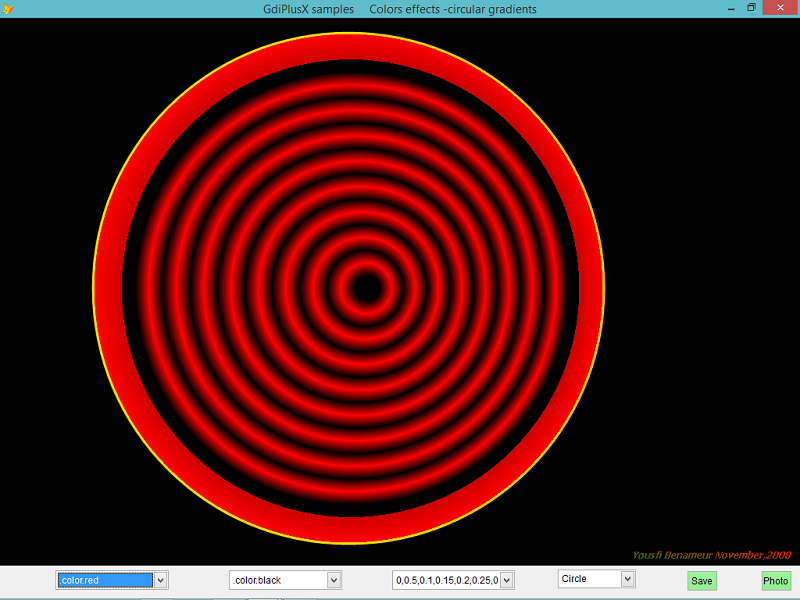
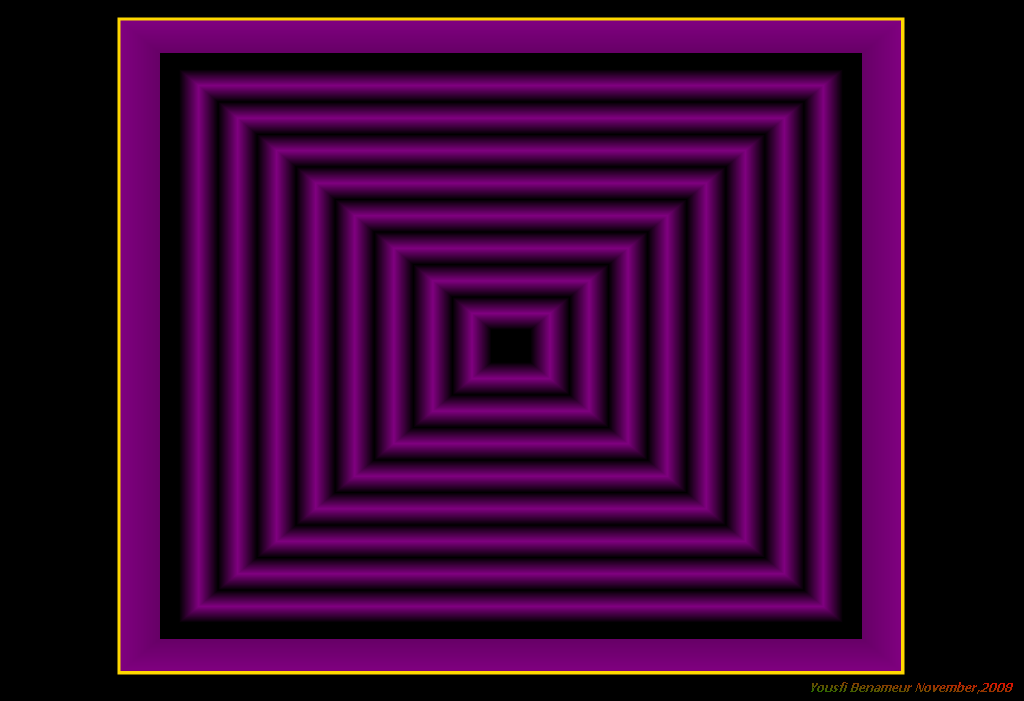
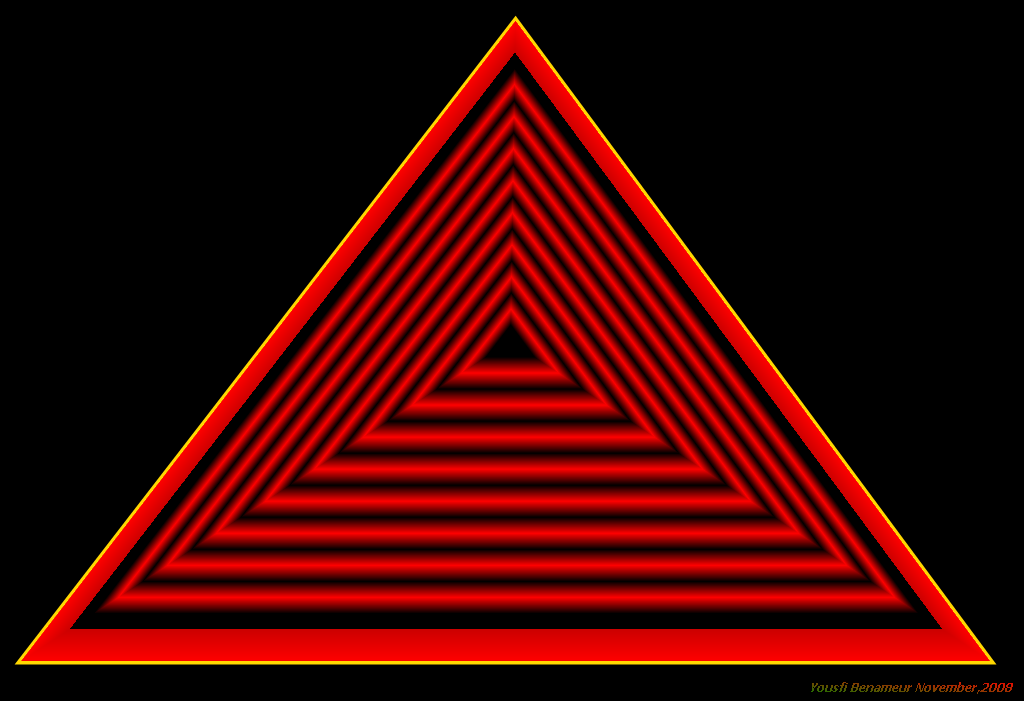
The system.app must be on stable corrected version to see colored shapes (as screenshots below).(can download on vfpx codeplex).
-test all the combobox values and colors to see effects rendered with gdiplusX.
-can see drawing in mspaint or save imgcanvas content as a PNG image (jpg,bmp,gif..).
*Begin code
Do Locfile("system.app")
Set Classlib To Locfile('gdiplusX','vcx') AddI
yform=Createobject('ydraw')
yform.Show
Release Classlib gdiplusX
Read Events
Return
*
Define Class ydraw As Form
Top = 14
Left = 122
Height = 572
Width = 774
ShowWindow = 2
ShowTips = .T.
BorderStyle = 3
Caption = "GdiPlusX samples Colors effects -circular gradients"
yfig = 1
x = 0
Y = 0
Add Object imgcanvas1 As imgcanvas With ;
Anchor = 15, ;
Stretch = 2, ;
Height = 528, ;
Left = 0, ;
Top = 0, ;
Width = 780, ;
Name = "Imgcanvas1"
Add Object combo1 As ComboBox With ;
Height = 25, ;
Left = 360, ;
ToolTipText = "Factors", ;
Top = 540, ;
Width = 157, ;
Name = "Combo1"
Add Object combo2 As ComboBox With ;
Height = 25, ;
Left = 36, ;
ToolTipText = "CenterColor", ;
Top = 540, ;
Width = 145, ;
Name = "Combo2"
Add Object combo3 As ComboBox With ;
Height = 25, ;
Left = 204, ;
ToolTipText = "surroundColors", ;
Top = 540, ;
Width = 145, ;
Name = "Combo3"
Add Object ysave As CommandButton With ;
Top = 540, ;
Left = 660, ;
Height = 27, ;
Width = 40, ;
Caption = "Save", ;
ToolTipText = "Save canvas", ;
Name = "ysave"
Add Object yb As CommandButton With ;
Top = 540, ;
Left = 732, ;
Height = 27, ;
Width = 40, ;
Picture = "", ;
Caption = "Photo", ;
ToolTipText = "Capture image+View", ;
Name = "yb"
Add Object combo4 As ComboBox With ;
Height = 24, ;
Left = 528, ;
ToolTipText = "Figure", ;
Top = 540, ;
Width = 100, ;
Name = "Combo4"
Procedure Destroy
Clea Events
Endproc
Procedure imgcanvas1.beforedraw
Local pth As xfcGraphicsPath
Local pgb As xfcPathGradientBrush
Local logfx
Local w,h
w=This.Width
h=This.Height
This.Clear
logfx=This.ogfx
With _Screen.System.Drawing
logfx.SmoothingMode = .Drawing2D.SmoothingMode.AntiAlias
This.Clear(.Color.black)
Local yPath As xfcGraphicsPath
h=This.rectangle.Height-50
If Thisform.yfig=1 &&circle
w=h
Else
w=1.2*h
Endi
point1=.Point.new(80,80)
point2=.Point.new(h,80)
point3=.Point.new(w,h)
point4=.Point.new(80,h)
yPath = .Drawing2D.GraphicsPath.new()
Do Case
Case Thisform.yfig=1
yPath.addellipse(120,20,w,h)
Case Thisform.yfig=2
yPath.addRectangle(120,20,w,h)
Case Thisform.yfig=3
yPath.addellipse(120,20,w,h)
Case Thisform.yfig=4
point1=.Point.new(This.Width/2,20)
point2=.Point.new(20,This.Height-40)
point3=.Point.new(This.Width-40,This.Height-40)
yPath. AddLine(point1,point2)
yPath.AddLine(point2,point3)
yPath.AddLine(point3,point1)
Endcase
yPath.CloseFigure()
Pen = .Pen.new(.Color.gold, 6)
logfx.DrawPath(Pen,yPath)
Local pgb As xfcPathGradientBrush
pgb=.Drawing2D.PathGradientBrush.new(yPath)
pgb.SurroundColors[1] = .Color.fromRGB(0,255,0)
pgb.centercolor=Evaluate(Thisform.combo2.Value )
pgb.SurroundColors=Evaluate(Thisform.combo3.Value )
bl =.Drawing2D.Blend.new()
Do Case
Case Thisform.combo1.Value="0,1"
bl.Factors =_Screen.System.Single.NewArray(0,1)
Case Thisform.combo1.Value="0,0.5,1" Or Thisform.combo1.Value="0,0.75,1"
bl.Factors =_Screen.System.Single.NewArray(1,0,1)
Case Thisform.combo1.Value="0,0.25,0.5,0.75,1"
bl.Factors =_Screen.System.Single.NewArray(1,0,1,0,1)
Case Thisform.combo1.Value="0,0.1,0.2,0.3,0.4,0.5,0.6,0.7,0.8,0.9,1"
bl.Factors =_Screen.System.Single.NewArray(1,0,1,0,1,0,1,0,1,0,1)
Case Thisform.combo1.Value="0,0.5,0.1,0.15,0.2,0.25,0.3,0.35,0.4,0.45,0.5,0.55,0.6,0.65,0.7,0.75,0.8,0.85,0.9,0.95,1"
bl.Factors =_Screen.System.Single.NewArray(1,0,0,0,1,0,1,0,1,0,1,0,1,0,1,0,1,0,1,0,0)
Endcase
bl.Positions=_Screen.System.Single.NewArray(Thisform.combo1.Value)
pgb.Blend=bl
Do Case
Case Thisform.yfig=1
logfx.FillEllipse(pgb,120,20,w,h)
Case Thisform.yfig=2
logfx.FillRectangle(pgb,120,20,w,h)
Case Thisform.yfig=3
logfx.FillEllipse(pgb,120,20,w,h)
Case Thisform.yfig=4
logfx.Fillpath(pgb,yPath)
Endcase
pgb.Dispose()
*texte
Local loFont As xfcFont
Local loBrush As xfcLinearGradientBrush
Local loRectangleF As xfcRectangleF
Local loSizeF As xfcSizeF
ystring="Yousfi Benameur November,2008"
loFont = .Font.new([tahoma], 9, .FontStyle.BoldItalic)
loSizeF = logfx.MeasureString(ystring, loFont)
loRectangleF =_Screen.System.Drawing.RectangleF.new(This.Width-loSizeF.Width-10,This.Height-loSizeF.Height-5,loSizeF.Width, loSizeF.Height)
loBrush = .Drawing2D.LinearGradientBrush.new(loRectangleF,.Color.red,.Color.green,3)
logfx.DrawString(ystring, loFont,loBrush, loRectangleF)
Endwith
Return
Endproc
Procedure combo1.Init
This.AddItem("0,1")
This.AddItem("0,0.5,1")
This.AddItem("0,0.75,1")
This.AddItem("0,0.25,0.5,0.75,1")
This.AddItem("0,0.1,0.2,0.3,0.4,0.5,0.6,0.7,0.8,0.9,1")
This.AddItem("0,0.5,0.1,0.15,0.2,0.25,0.3,0.35,0.4,0.45,0.5,0.55,0.6,0.65,0.7,0.75,0.8,0.85,0.9,0.95,1")
This.Value=""
This.Style=2
This.ListIndex=1
Endproc
Procedure combo1.Click
Thisform.imgcanvas1.Draw
Endproc
Procedure combo2.Init
This.AddItem(".color.green")
This.AddItem(".color.red")
This.AddItem(".color.white")
This.AddItem(".color.yellow")
This.AddItem(".color.violet")
This.AddItem(".color.purple")
This.AddItem(".color.cyan")
This.AddItem(".color.black")
This.Style=2
This.ListIndex=1
Endproc
Procedure combo2.Click
Thisform.imgcanvas1.Draw
Endproc
Procedure combo3.Click
Thisform.imgcanvas1.Draw
Endproc
Procedure combo3.Init
This.AddItem(".color.green")
This.AddItem(".color.red")
This.AddItem(".color.white")
This.AddItem(".color.yellow")
This.AddItem(".color.violet")
This.AddItem(".color.purple")
This.AddItem(".color.cyan")
This.AddItem(".color.black")
This.Style=2
This.ListIndex=2
Endproc
Procedure yb.Click
Local lnTitleHeight, lnLeftBorder, lnTopBorder
lnTitleHeight = Sysmetric(9)
lnLeftBorder = Sysmetric(3)
lnTopBorder = Sysmetric(4)
Local loCaptureBmp As xfcBitmap
loCaptureBmp = _Screen.System.Drawing.Bitmap.FromScreen(Thisform.HWnd, ;
lnLeftBorder, lnTitleHeight + lnTopBorder, ;
Thisform.Width, ;
Thisform.imgcanvas1.Height)
loCaptureBmp.toClipboard()
*can also use
*thisform.imgcanvas1.oBmp.toClipBoard() or thisform.imgcanvas1.oBmp3.save...
Run/n3 mspaint
Inkey(2)
Local loShell
loShell=Createobject("wscript.shell")
loShell.sendKeys("^{v}")
Endproc
Procedure ysave.Click
Local m.lcdest
m.lcdest=Addbs(Justpath(Sys(16,1)))+Sys(2015)+".png"
Thisform.imgcanvas1.oBMP.Save(m.lcdest,_Screen.System.Drawing.imaging.imageformat.PNG) &&jpeg,bmp,gif...
Messagebox(m.lcdest+"...saved!",0+32+4096,'',800)
Endproc
Procedure combo4.Init
This.AddItem("Circle")
This.AddItem("Rectangle")
This.AddItem("Ellipse")
This.AddItem("triangle")
This.Style=2
This.ListIndex=1
This.Value=1
Endproc
Procedure combo4.Click
Thisform.yfig=This.Value
Thisform.imgcanvas1.Draw
Endproc
Procedure Init
With Thisform
.SetAll("mousepointer",15,"commandbutton")
.SetAll("backcolor",Rgb(0,255,0),"commandbutton")
.SetAll("anchor",768,"combobox")
.SetAll("anchor",768,"commandbutton")
Endwith
Endproc
Enddefine
*
*End code